You built your app with Lovable, Bolt, Cursor or Replit — and it works. Here is what AI usually leaves underwater, the 10 signs your MVP needs a developer, and how to decide whether to rescue it or rebuild.
- Published
- Reading
- 13 min
- Author
- Yaroslav Tsarenko
In 2026, building an app over a weekend is normal. You describe the idea in Lovable, Bolt, Cursor or Replit, and a few hours later you have working screens, a database and even checkout. That's a real breakthrough: ideas that used to need a team and months can now be tested in a week.
The trouble starts later — when the first real users, money and data arrive. This article is for founders and business owners who already have a vibe-coded MVP. We'll look at what usually stays underwater, the 10 signs it's time to show the product to a developer, and how to decide whether to rescue it or rebuild.
What vibe coding is — and why it isn't bad
The term vibe coding comes from Andrej Karpathy, an OpenAI co-founder and former head of AI at Tesla, in a post on February 2, 2025 (history of the term). He described a style where you "fully give in to the vibes" and barely look at the code: accept every change and paste errors back into the chat. He also said it fits throwaway weekend projects.
Since then vibe coding has gone mainstream, and that's good. It's ideal for:
- validating an idea — show the product to first customers before paying for development;
- an investor demo — a live prototype convinces better than a deck;
- internal tools — an admin panel or calculator for a team of five;
- clarifying requirements — when you go to a developer later, you bring a working example instead of a document.
The problem isn't vibe coding. The problem is the moment a prototype quietly becomes a product: strangers sign up, enter personal data and pay. The prototype was never designed for that.
The iceberg: what AI builds well and what stays underwater
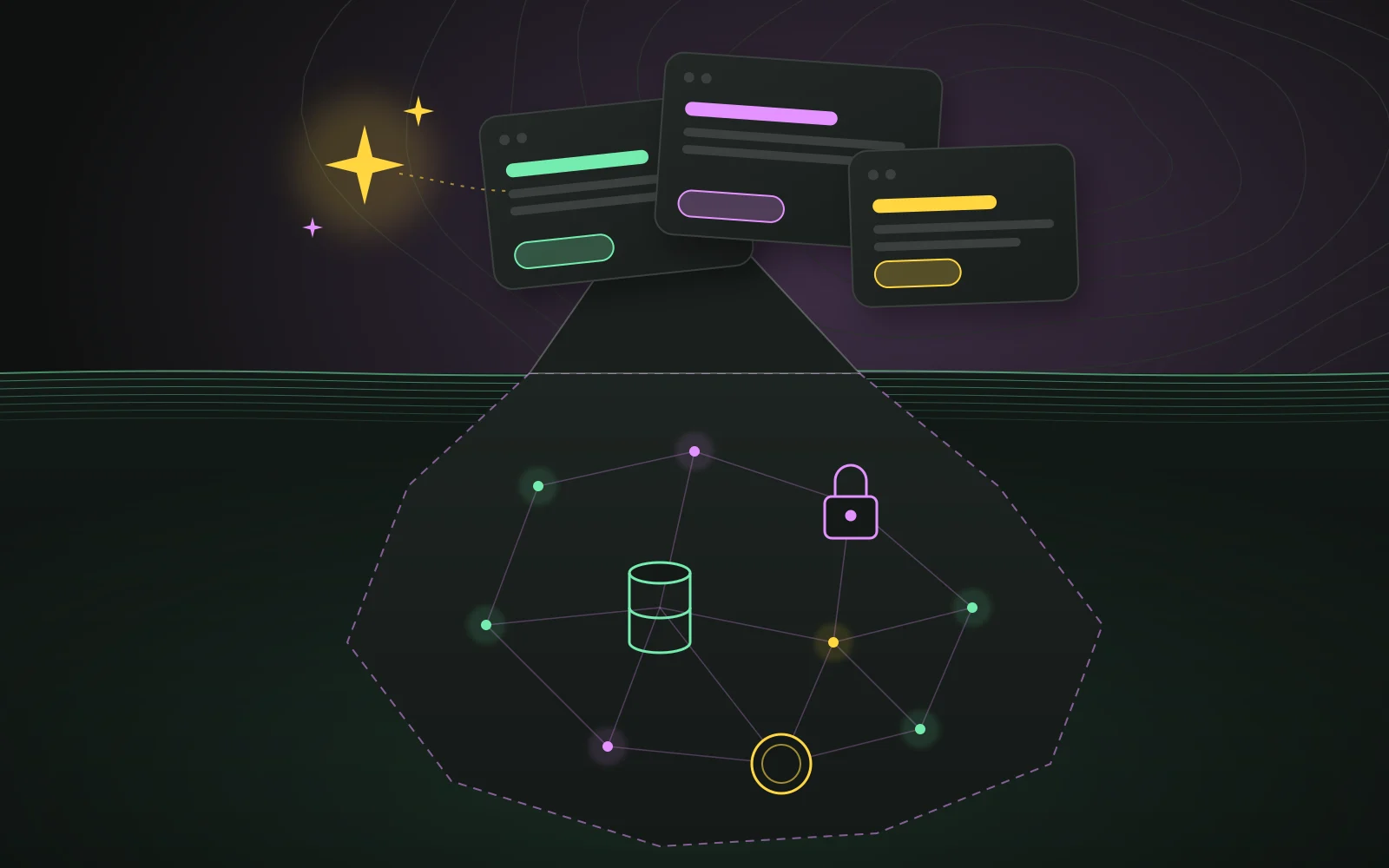
AI tools are great at what you can see: screens, forms, lists, buttons. You see the result immediately, and it looks finished. But most of a product is what users don't see — as long as it works.
Underwater there usually is:
- access rules — who can read and change which data;
- money — repeated webhooks, refunds, reconciliation with the payment provider;
- the data model — will it survive the next feature without patches;
- backups and recovery — can you get data back after a mistake;
- monitoring — will you learn about an outage before your customer does;
- protection from bots and abuse — sign-ups, spam, password guessing;
- infrastructure cost — AI and database calls that grow with your users.
AI doesn't "write bad code". It does exactly what you asked for, and nobody asks for the invisible parts. Nobody types into the chat: "and make sure user A can't see user B's orders by calling the API directly". Nobody asks for the page text to be in the HTML for search engines and AI crawlers either — why that now affects inquiries is covered in a website that gets leads when AI answers.
AI does well
- Screens and formshours instead of weeks
- Standard CRUDlists, cards, filters
- Investor prototypeclickable and alive
Needs a human
- Access ruleswho sees whose data
- Moneypayments, refunds, webhooks
- Data and migrationsa schema that survives change
10 signs your MVP needs a developer
Not every sign means disaster. But if three or four match, the product has outgrown its prototype.
1. API keys sit in code the browser can see
Open your site, press F12 and search the Sources tab for key, secret, sk_. If there's a Stripe or OpenAI secret key or your database's service key, anyone can use it on your bill.
What to do: rotate the key in the provider's dashboard (treat the old one as compromised) and move calls that need the secret to the server — a server function or API route. For a zero-downtime rotation plan and why AI keys in particular are being hunted right now, see the LiteLLM and Railway breakdown.
2. You can see other people's data
This is the most dangerous one. Many vibe-coded apps talk to the database straight from the browser, so the only thing protecting the data is the database's own access rules — in Supabase that's Row Level Security. If the rules are off or written as "allow everyone", other people's records are one request away.
This isn't theory. In 2025 a researcher checked 1,645 apps built with Lovable and found 170 (10.3%) where anyone could read or change data without logging in: users, transactions, API keys. The issue became CVE-2025-48757 with a severity score of 9.3 out of 10.
What to do: enable RLS on every table and write policies like "a user sees only their own rows". Then verify with an anonymous request that access is actually closed — don't take it on faith.
3. Payments "sometimes" double up or go missing
Payment providers resend notifications (webhooks) if your server doesn't answer in time. Stripe says plainly that the same event can arrive more than once. Without protection against repeats, a customer gets the product twice or money is credited twice. If you've ever reconciled payments by hand, this is your sign.
What to do: store the ID of every processed event and ignore repeats, and change an order only after the provider confirms it — not on the redirect back from the checkout page.
4. Every fix breaks something else
You ask the AI to fix a button and sign-up stops working. The cause: no automated tests, and AI often rewrites whole files. Without tests nobody — human or model — knows what just broke.
What to do: start with 5–10 automated tests for the most important flows — sign-up, payment, data access — and run them on every change. You don't need to cover everything at once.
5. The AI goes in circles
"Fix the error" → a new error → "fix that" → the old one is back. That's a sign the problem isn't a line of code but the structure: the data model or logic no longer matches what the product now does.
What to do: stop and write down how the product should work today: entities, roles, statuses. Often it turns out a few tables need to change, not "one more bug fixed". And it isn't just you: in a fresh benchmark the best AI agent fully completed only 26% of real change requests to an app — the numbers are in how many tasks AI coding agents actually finish.
6. Everything slows down as data grows
With 50 records it flew; with 5,000 a page takes seconds. Typical causes: data is filtered in the browser instead of the database, there are no indexes, every row in a list triggers its own query.
What to do: move filtering and pagination into the database, add indexes for the real queries and measure before and after. A few targeted changes usually make it several times faster.
7. Bills grow faster than users
Every visit makes several uncached AI calls, the database reads whole tables, files are served without a CDN. With ten users you don't notice; with thousands it's a monthly expense line.
What to do: find the most expensive calls, cache identical answers, use a cheaper model for simple tasks and set spending limits in each provider's dashboard.
8. No backups and no test environment
Changes go straight to production. If the AI suggests a migration that drops a column, the data goes with it. Ask yourself: if the customers table were deleted right now, how many minutes would it take to restore?
What to do: turn on daily database backups and restore one to a test project at least once. A backup nobody has tried to restore is a hope, not a backup. Try changes in a separate test environment first.
9. Bots and spam
An open sign-up with no limits fills up with fake accounts fast. They spoil analytics, eat email and AI quotas, and sometimes the trust of real users.
What to do: email verification, rate limits on sign-up and login, an invisible captcha on forms. In AllShip, described below, the database held 34,921 bot accounts.
10. Someone asks to see the code
An investor runs technical due diligence, an enterprise client sends a security questionnaire, a lawyer asks about GDPR. "AI generated it and nobody has read it" is a weak answer.
What to do: have a short technical overview — architecture, where data lives, who has access, how backups work — and at least one independent security review. It also helps in negotiations.
The map above places the signs on two axes: how likely it's already happening, and how much it costs if it does. The top-right corner — access rules, keys and money — is worth checking this week.
A real example: when "it works" doesn't mean "it's ready"
I recently rebuilt AllShip AI, a US shipping marketplace. From the outside the product looked alive: pages loaded, you could post a load and place a bid. Underneath, it lived in three separate repositories and the database was mostly bots and generated bids. There was no escrow (holding payment until delivery), no content security policy (CSP) and no consistent authorization layer.
I migrated the real data, left the bots behind, merged everything into one Next.js app, added escrow on Stripe Connect and audited access on every entry point.
The telling part: the owner didn't see most of these problems, because the interface worked. That's exactly why they're called invisible. If what you're building is a marketplace, I broke down what belongs in its first version and why fake activity hurts more than missing features.
Why every next fix costs more
A prototype has no foundation, so the cost of change grows non-linearly. The first AI edits are almost free. But every new feature built on a shaky data model adds dependencies, and a few months later a simple change takes a week of careful work.
The chart is schematic, but anyone who has maintained a product without tests and structure knows the shape. The earlier the foundation goes in, the cheaper it is. The most expensive moment is when problems surface under load, with real money and real complaints.
What it costs to turn an MVP into a product
The honest answer: it depends not on the number of screens but on what's underwater. Two apps with identical interfaces can differ several times in the cost of getting them production-ready. The price is driven by:
- the state of the data — clean data stays; corrupted data has to be migrated and cleaned;
- money in the product — payments, subscriptions and payouts to other users (marketplaces) add the most work and responsibility;
- roles and permissions — one type of user, or customers, providers and admins with different access;
- integrations — payment providers, CRM, shipping, AI services;
- urgency — whether you already have users who can't be paused during the work.
That's why estimates from screenshots are almost always wrong, in both directions. The right order is: a short audit, a prioritized list of risks, and only then an estimate by phases. You pay for the most important things first and plan the rest once the product earns.
The most expensive scenario isn't the fix — it's a data leak or double charges with real customers. Then refunds, emails to users and lost trust are added to the bill.
What building a new MVP costs on the market in 2026, with ranges by team type, is in a separate breakdown of MVP development cost.
How to choose a developer for the rescue
Rescuing a vibe-coded MVP is its own skill: you need to understand someone else's — often generated — code quickly without breaking what already works. A few questions to ask a candidate:
- Where will you start? A good answer: an audit and a list of risks. A red flag: "rewrite everything" before they've looked at the code.
- What will you keep? An experienced developer values what your users already like and doesn't rebuild the interface without a reason.
- Have you worked with this stack? Supabase, Stripe and Next.js are typical for vibe-coded projects. A familiar stack means faster and safer results.
- How will I see progress? Short phases with concrete outcomes — "keys rotated, access closed, backups working" — not "another week of refactoring".
- Can we keep using AI? The answer should be "yes, with tests and checks".
Rescue or rewrite: how to decide
The most common mistake is deciding by gut feeling. Some rewrite everything because "the code is generated anyway". Others patch to the bitter end because "it works". The decision depends on three things: the state of the data, the core (authorization, payments) and how far the product has already found its users.
| Situation | What usually makes sense |
|---|---|
| Data is clean, problems are in security and payments | Rescue: targeted fixes to the core, tests on money flows, backups |
| Users like the interface, but everything is slow | Rescue: move logic to the server, indexes, caching |
| The data model doesn't fit the product; every change breaks 3 places | Rewrite the core, keep the interface where possible |
| Corrupted data, more bots than people, several codebases | Rebuild: move only the real data onto a new foundation |
| Still searching for the market, few users | Don't rush: close security and keys now, the rest after validation |
A full rewrite is rarely needed. Most often the winning strategy is to keep what users already like (screens, flows, copy) and replace what's invisible and dangerous. For how to make that call for any product, not just a vibe-coded one, and how to replace a system piece by piece without stopping it, see rewrite vs refactor.
What a rescue looks like: the first 3–4 weeks
Order matters more than volume. First close what could cost money and reputation today, then what blocks growth.
- 2–3 daysAuditcode, data, security, payments — written report
- week 1Stop the bleedingkeys, access rules, backups, monitoring
- week 2Protect the moneyidempotent webhooks, reconciliation, tests
- weeks 2–4Fix the coredata model, speed, refactoring
- afterHandoverdocs, CI, rules for working with AI
- Audit (2–3 days). Read the code, look at the database, access rules, keys and payment flows. The result is a written, prioritized list of risks — not "everything is bad".
- Stop the bleeding (week 1). Remove and rotate leaked keys, turn on access rules, set up backups and error alerts.
- Protect the money (week 2). Webhooks that never process the same event twice, idempotency keys for payments, daily reconciliation and automated tests on exactly the money flows.
- Fix the core (weeks 2–4). The data model, moving heavy logic to the server, indexes, refactoring the most fragile parts.
- Handover. Documentation, automated checks on every change and rules for working safely with AI from here on.
A 15-minute checklist: test your MVP yourself
This list doesn't replace an audit, but in a quarter of an hour it shows whether there's a reason to worry.
| Check | How | Red flag |
|---|---|---|
| Secrets in the browser | F12 → Sources → search sk_, secret, service_role |
You found even one |
| Other people's data | Log in with a second account and open a link to the first account's record | The record opened |
| Database access rules | In Supabase: Authentication → Policies | Tables without policies or with true |
| Repeated payment | Refresh the page after paying, open it again | Duplicate order or charge |
| Backups | Find where they are and when the last one ran | You don't know, or "automatic somewhere" |
| Errors | Do you get an alert when something fails | You hear about it from customers |
| Bots | Look at the last 100 sign-ups | Same names, odd emails |
| Speed | Open your biggest list on a cheap phone | Longer than 3 seconds |
Three or more red flags is a reason to show the product to a developer soon.
How to keep AI speed after a developer joins
Founders' biggest fear is that a developer will make everything slow and expensive. Done right, it's the opposite. AI stays in the process, but works within guardrails:
- tests on critical flows — sign-up, payment, data access. If the AI breaks something, you know in a minute, not from a customer;
- automated checks on every change — types, linter and tests run on their own;
- a clear structure — AI works much better in a project where it's obvious what lives where;
- a human reviews changes to the core — money, access rules, database migrations. The interface can change freely.
The product keeps moving fast, and new features stop undermining the foundation.
What to do today
Vibe coding is a great way to reach your first users. But a prototype and a product are different things, and the difference is mostly invisible: access rules, money, data.
Start with the checklist above: 15 minutes, and you'll know whether there's a real risk. If several red flags show up, don't rewrite everything at once. First get a prioritized list of risks, close security and payments, and do the rest gradually without stopping the product.
Was this useful?
– likes · – views
Questions people ask
Can I launch an MVP built with vibe coding?
Yes — for validating an idea, an investor demo or an internal tool it's a great choice. Before real users bring their data and money, check security, payments and backups at least once: that's a few days of work, not a new project.
How much does it cost to fix a vibe-coded app?
It depends less on the number of screens than on the state of the data, payments and access rules. An honest estimate starts with a short audit: then it's clear what stays, what gets targeted fixes and what is cheaper to rewrite.
Do I need to rewrite everything from scratch?
Usually not. Most of the interface can stay; the core — data model, authorization, payments — gets rebuilt. A full rewrite makes sense when the data is corrupted and every change breaks several other places.
Can I keep using AI tools after a developer joins?
Yes, and you should. The developer adds guardrails — tests on critical flows, CI checks, clear types and structure — so AI tools get faster and safer because mistakes are caught automatically.