Wholesale customers increasingly want to order on their own, without calling a rep. Here is what the first version of a B2B ordering portal needs, where these projects usually break, and what can safely wait.
- Published
- Reading
- 14 min
- Author
- Yaroslav Tsarenko
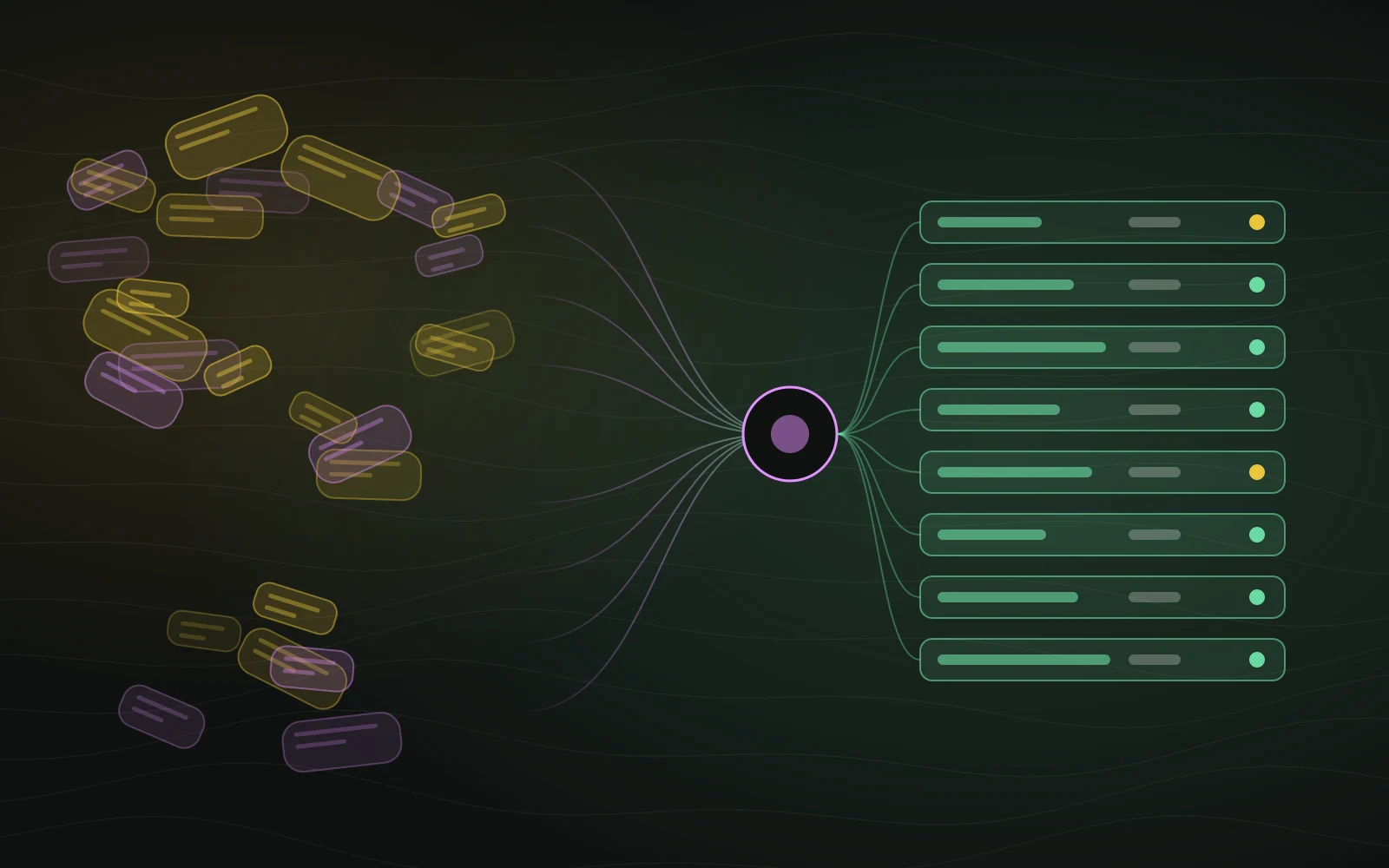
Sound familiar? Monday, 9:15 a.m. Your sales rep has WhatsApp, email and two phones going. One customer sent a photo of a handwritten list. Another sent last year's spreadsheet of SKUs. A third just wrote: "same as last time, double the adhesive." The rep retypes all of it into the ERP, checks stock, works out the discount and sends an invoice. Every single day.
That is how wholesale still runs in a lot of companies. Does it work? Sure. Does it scale? No. Every new order is another half hour of someone's attention and another chance to mix up a part number.
This piece is for owners and sales leaders at distributors, manufacturers and dealers who are thinking about a B2B ordering portal: a customer account where your regular buyers see their own prices, live stock and documents, and order without picking up the phone. We'll cover what belongs in the first version, where these projects tend to break, and what can safely wait.
Why wholesale buyers stopped wanting to call
Some numbers first, so this doesn't sound like my personal opinion.
Gartner surveyed 646 B2B buyers in August–September 2025: 67% prefer a rep-free buying experience, and 45% used AI during a recent purchase. In the same survey a year earlier, the figure was 61%.
McKinsey's 2024 B2B Pulse found something even more telling: 39% of B2B buyers are willing to spend over $500,000 per order through self-service or remote channels, up from 28% two years before. This is not about small top-up orders anymore. These are big tickets.
Then, on October 27, 2026, Amazon Business used its Reshape conference to show where this is heading. Its assistant now lets teams manage approvals and track orders just by asking, and Amazon, with partners including SAP, is leading the charter for a Universal Commerce Protocol domain for B2B procurement: requisitions, approvals, purchase orders, invoices, reconciliation. In plain English: large buyers are teaching their AI agents to order from suppliers.
What does that mean for you? You don't need to compete with Amazon. But a buyer who orders office supplies through a clean interface with prices, stock and history is getting less patient with "send me the list on WhatsApp, my rep will call you back."
A fair caveat: these are survey answers, not the behavior of your specific customers. Some of them will keep calling their favorite rep for years, and that's fine. A portal isn't there to replace people. It's there to take the busywork off them: reorders, stock checks, digging up the March invoice.
Portal, online store or marketplace: what's the difference?
People mix these three up all the time, and the difference drives both scope and price.
| Online store | B2B ordering portal | Marketplace | |
|---|---|---|---|
| Who buys | Anyone, often first-timers | Known companies with an agreement | Buyers from many sellers |
| Price | One for everyone, promotions | Specific to each account or tier | Set by each seller |
| Users per buyer | One person | Several: buyer, manager, accounts payable | Usually one person |
| Payment | Card at checkout | Invoice, net terms, contract | Through the platform |
| Hardest part | Traffic and conversion | Pricing, roles, ERP integration | Two sides and trust between them |
If you already run a retail store, the portal can live next to it: same catalog, different login, different prices, different ordering flow. If other companies will sell on your platform, that's a marketplace with its own logic, and I've written separately about what to build first in a marketplace.
The signal: big orders are going around your website
Here is a case that shows the problem well. I built the Parandis Bud building-materials store in Ukraine on my own, from design to ads. In the first month of ads, a customer who came in through Google Ads placed a UAH 250,000 wholesale order, according to the owner. Great, right?
Except that order didn't come through the cart. It was entered into the admin by hand. The store was built for retail: one price, a cart, a checkout. A wholesale buyer with a long list and their own terms found it easier to sort it out with a person.
That's not the store failing. It did its job and brought the customer in. It's a signal: once wholesale orders outgrow what your team can retype by hand, they need their own flow. A few signs you're already there:
- your reps spend most of the day moving orders from messaging apps into the ERP;
- customers keep asking "what's in stock?" and "what's my price?";
- wrong SKUs and quantities show up every week;
- invoices and delivery notes live in email threads, not in one place;
- a new rep takes a month to train because pricing and terms live in the senior reps' heads.
Three or more? Keep reading.
What goes in the first version
The temptation to build everything at once is huge here. Resist it. Version one should cover one flow end to end: a regular customer logs in, sees their prices and stock, places an order as fast as they'd type a WhatsApp message, and gets the documents. That takes six things.
1. Companies, not users. The account belongs to the customer company, with several people inside it. The buyer creates orders, the manager sees everything, accounts payable sees only documents. Start with "one email, one customer" and you'll end up rebuilding most of it.
2. Customer-specific pricing. Without it, nobody needs the portal. A wholesale buyer wants to see their price, not the retail one with a note saying "contact your rep." There's a whole section on pricing below.
3. Live stock from your ERP. The customer should see what your warehouse sees. "In stock" on the portal and "sorry, gone" on the phone is the fastest way to kill trust in it.
4. Fast ordering. A wholesale buyer doesn't browse a catalog of pretty photos. They want to repeat last month's order in one click, paste a list of SKUs with quantities, or upload a spreadsheet. This is where the portal either beats the messaging app or loses to it.
5. Status and documents. Where the order is, what has shipped, the invoice, the delivery note. All on the order page, not somewhere in last March's inbox.
6. An admin for your sales team. Reps see portal orders, can adjust them before confirming, assign a company to a price tier, and invite a new user. Without it, every small change becomes a developer ticket.
Notice what's missing? Card payments, a mobile app, chat, an AI assistant, a loyalty program. All of these can come later. Version one doesn't win on features. It wins by making an order faster to place than a message to a rep.
Customer-specific pricing: where it breaks most often
Pricing is the heart of a B2B portal and the most common source of trouble. Rules spread across spreadsheets and people's heads usually look something like this: dealers have their own price list, two big accounts have special prices on a dozen items, a full pallet gets a discount, and the promo category is excluded from discounts. As long as a rep applies these rules, it works. A portal has to apply them on its own, the same way, every time.
Decide these before development starts:
- Precedence. Does a contract price beat the tier price list? Does a volume break stack on top of a contract price or not? That's a business decision. The owner should write it down, not leave the developer to guess.
- Where the rules live. If your ERP already calculates prices, the portal should take the result, not duplicate the logic. Two systems computing prices their own way will drift by a cent, then by a thousand dollars.
- Explain the price. The customer sees not just a number but "contract price" or "10+ units discount." That alone removes half of the "why is this so expensive?" calls.
- Freeze it on the order. The price a customer ordered at is stored on the order forever. If the price list changes tomorrow, old orders and documents must not shift.
That last one sounds obvious, but it's exactly where prototypes slip: they show the current catalog price on an old order.
ERP integration: who owns the truth?
The most expensive mistake in a B2B portal isn't bad design. It's data that drifts between the portal and the ERP. So the first question isn't "how do we connect it" but "which system owns each kind of data."
| Data | Source of truth | How often to sync |
|---|---|---|
| Products, SKUs, units | ERP | Hourly or on change |
| Stock | ERP | As often as you can; hourly or better for fast movers |
| Prices and price lists | ERP | When a price list changes |
| Companies and contracts | ERP | On change |
| Users, roles, access | Portal | — |
| Carts and drafts | Portal | — |
| Orders | Portal creates, ERP confirms | Right after checkout, status flows back |
| Invoices and delivery notes | ERP | Once the document is issued |
Now the practical part. At Parandis Bud the stock lives in BAS, a Ukrainian ERP in the 1C family, and syncing it with the website was the most interesting part of the whole project: an old server that couldn't speak modern TLS, exchange files larger than the hosting limit, batches that zeroed out each other's stock, and product names that didn't match the storefront. All four surprises and how I got around them are in the full case write-up. The main lesson: link products to the ERP by an immutable ID (a GUID), never by name.
A few rules I've taken from ERP and supplier-API integrations:
- Exchange runs in the background, with retries. An order shouldn't hang because the ERP is down for a minute. It goes into a queue and lands when the ERP wakes up. I've covered how to build that kind of queue in the guide to background jobs in Node.js.
- Reconcile daily. Even perfect sync drifts eventually. A nightly job that compares stock, prices and statuses across systems and reports differences catches the problem before a customer does.
- One product, one ID. Not a name, not a SKU someone might rename, but the ERP's own identifier.
- Make it visible. Your rep needs a screen saying "last sync: when, how many items, which errors," not "something didn't sync, ask the developer."
Whatever your ERP — NetSuite, SAP Business One, Dynamics, or BAS and 1C in Ukraine — start from what it already exports. But budget time for surprises: every company configures its ERP a little differently, and the first weeks of integration usually go into finding out what each field really means.
Roles inside the customer's company, and other people's data
In a retail store, access is simple: a user sees their own orders. In a portal it gets interesting.
A typical setup inside a customer company:
- Buyer creates carts and orders, sees prices and stock;
- Manager sees all of the company's orders, approves large amounts, invites colleagues;
- Accounts payable sees invoices, delivery notes and statements, but doesn't place orders;
- Your sales rep sees the accounts assigned to them and can order on their behalf.
Order approvals above a threshold are a popular request, but in version one they're often unnecessary: in a company of 2–5 people everyone agrees out loud anyway. Add them when several customers ask.
What is never unnecessary is isolation between companies. Customer A must never, under any circumstances, see customer B's prices, orders or documents. Not even by editing the order number in the URL. Especially not then.
It sounds basic, but it's the most common hole I see. The page checks access, the API behind it doesn't. Or the order-list API checks it, but the invoice PDF download doesn't. When I rebuilt the AllShip AI freight marketplace with four roles (shippers, carriers, drivers, admins), a separate stage was an authorization audit of all 109 entry points. A portal holding your customers' prices and contracts needs the same: the price you give one dealer is a trade secret to another.
What can safely wait
Everything below is useful. None of it is needed for the first customer to place the first order.
| Feature | When to add it |
|---|---|
| Mobile app | Once the mobile web version is in heavy use. A well-built responsive site comes first |
| Card payments | If customers actually pay by card. Wholesale is usually invoice and net terms |
| Order approvals | When several customers with bigger teams ask for them |
| AI assistant, natural-language search | When there's clean product data and order history for it to work on |
| API for customers' procurement systems | When a large customer asks. But shape the data model for it from day one |
| Loyalty, rebates | Once the portal is an established channel |
| Sales analytics for customers | After the pilot, when there's something to show |
The API point deserves a word. Amazon and SAP are now standardizing how buyers' AI agents talk to suppliers: requisition, approval, order, invoice, reconciliation. You don't need that in version one. But if the portal's data model already knows what a company, a contract, an order with statuses and a document are, adding an API later takes weeks, not a rewrite. I've written up how to design an API that ages well in 12 REST API rules.
What it costs and how long it takes
I can't honestly name a number without your price lists and sample orders. Two portals with identical screens can differ in cost several times over. The price is driven by:
- pricing rules — one list per tier, or hundreds of customer prices with exceptions;
- the ERP — a modern API, or file exchange with an old server;
- roles — one user per company, or buyer, manager, accounts payable and rep;
- documents — links to PDFs from the ERP, or generating your own;
- data quality — whether SKUs, units and names in the ERP match reality.
For a reference point: on my MVP development page prices start at $6,000, and the Parandis Bud store, with its admin, BAS stock integration and ad launch, was a fixed $5,000. A portal with customer-specific pricing and several roles is usually more involved than a retail store, so plan for a larger scope. For how development pricing works in general, and how fixed price, hourly and milestones compare, see my breakdown of MVP development cost in 2026.
As for timelines, the longest part is rarely the screens. It's pinning down the pricing rules and getting the ERP exchange right. So the order of work matters more than raw speed.
- stage 1Study real ordersthe last 20–30 orders, price lists, documents
- stage 2Data model and integrationcompanies, roles, prices, ERP exchange
- stage 3One complete orderfrom login to documents, on a preview link
- stage 4Pilot with 5–10 customersa rep alongside, logging where they stumble
- after the pilotRoll outall customers, approvals, API, analytics
How to launch so customers actually switch
The saddest outcome: the portal is done, looks good, works, and customers keep messaging on WhatsApp. How do you avoid that?
- Pilot with 5–10 customers. Pick the ones who order often and predictably. A rep personally walks them through the first order and notes where they stumble.
- No friction on first login. Not "register and wait for approval," but an email invite with prices and order history already set up.
- History already inside. Import each customer's recent orders from the ERP. A "reorder" button on day one is the best argument for switching.
- Reps don't compete with the portal. If a rep's commission depends on orders they key in themselves, they'll quietly talk customers out of the portal. It's not a technical problem, but it sinks more projects than bugs do.
- Measure the right thing. Not visits, but the share of orders placed without a rep, time from order to confirmation, and the number of orders that needed corrections.
Ever seen a launch that "just quietly didn't take off"? The cause is usually on this list, not in the code.
Checklist: what to bring to your first call with a developer
This list will save you a week of back-and-forth and give the developer a chance to quote something realistic.
| What to prepare | Why |
|---|---|
| 20–30 real orders from recent months | Shows how customers actually order: volumes, line counts, repeats |
| Every price list and discount rule, including the unwritten ones | Pricing is the hardest part of a portal |
| Your ERP's name and version, and who maintains it | Decides how the integration works |
| A sample export of products and stock | The developer sees data quality before estimating |
| The list of documents customers receive | Invoice, delivery note, statement, certificates |
| 3–5 customers for the pilot | The portal gets tested on real people, not a slide deck |
| Who owns the project on your side | Without someone deciding on prices and roles, the project stalls |
If you can pull all of this together in a day, you're set up for a fast start. If half of it is missing, a good developer helps you work it out instead of naming a price straight away.
In short
A B2B ordering portal isn't "an online store for insiders." It's customer-specific prices, companies with several roles, honest stock from your ERP, and an order that's faster to place than a message to a rep. Version one covers exactly that flow. Everything else comes after your first customers are actually using it.
Planning a portal for your wholesale customers, or already have one nobody uses? Tell me how orders reach you today. That's where we start.
Was this useful?
– likes · – views
Questions people ask
What is the difference between a B2B portal and an online store?
A store sells to strangers at one price. A portal serves companies you already know: each has its own prices and terms, several users with different permissions, and documents attached to every order. So the core of a portal is not the storefront but company accounts, pricing rules and the link to your ERP.
What features does a B2B ordering portal need first?
Company accounts with roles, customer-specific prices, live stock from your ERP, fast ordering (reorder, paste a SKU list, upload a spreadsheet), order status and documents, and an admin for your sales team. Mobile apps, AI assistants and loyalty programs can come after a pilot.
Can a B2B portal integrate with my ERP?
Yes, through the ERP's API, a standard exchange format or a small bridge service that picks up scheduled exports. Decide up front which system owns prices, stock and documents, and link products by an immutable ERP ID rather than by name.
How much does it cost to build a B2B ordering portal?
The price depends less on the number of pages than on your pricing rules, the number of roles and integrations, and the state of the data in your ERP. An honest estimate needs a short brief with real price lists and orders; the first version is usually a fixed scope split into milestones.
Will our customers actually use a portal?
Surveys say most B2B buyers want self-service, but your customers may be the exception. Launch with a pilot of 5–10 regular customers and measure the share of orders that arrive without a sales rep touching them.